
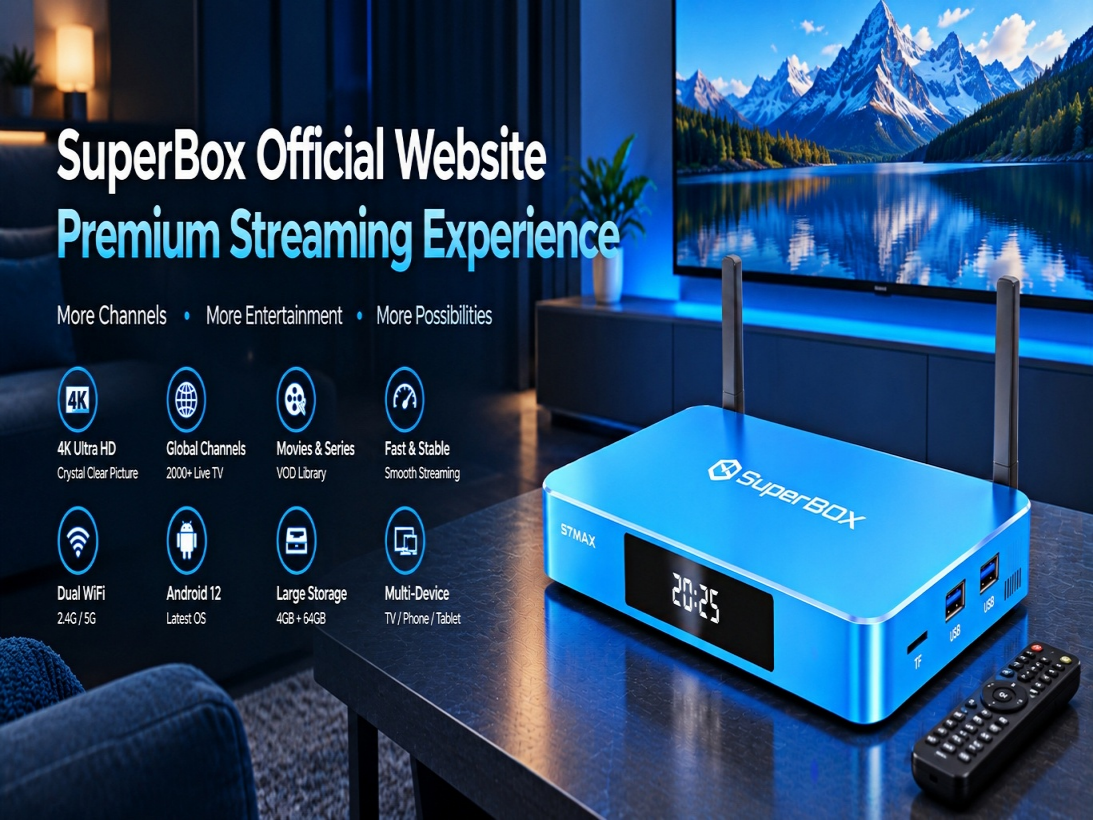
If you are looking for a way to simplify your home entertainment setup and reduce the number of monthly streaming subscriptions you pay for, the SuperBox S7 Max is one device worth considering.
The S7 Max combines Android-based hardware, high-speed networking, 4K/6K video decoding, live TV applications, video-on-demand services, and a large amount of internal storage in a compact TV box.
But is the SuperBox S7 Max actually worth buying in 2026?
In this guide, we will take a closer look at its hardware, software, streaming performance, storage, connectivity, setup process, and overall value.
Contents
1. What Is the SuperBox S7 Max?
2. SuperBox S7 Max Specifications
3. Streaming Performance
4. Storage and Applications
5. Wi-Fi 6 and Ethernet Connectivity
6. SuperBox S7 Max Setup
7. Who Should Buy the S7 Max?
8. SuperBox S7 Max vs Other Models
9. Frequently Asked Questions
10. Final Verdict
What Is the SuperBox S7 Max?
The SuperBox S7 Max is an Android-based streaming device designed to turn a standard television into a more versatile entertainment center.
Instead of using multiple streaming devices, users can connect the S7 Max directly to their television and access supported live TV, on-demand video, applications, and other entertainment services through a single interface.
The device is particularly attractive to cord-cutters who want to reduce their dependence on traditional cable television.
SuperBox S7 Max Specifications
The S7 Max is designed around a balance between performance and storage.
Key specifications include:
• 4GB RAM
• 64GB internal storage
• Android operating system
• H.265 video decoding
• Up to 6K video support
• Dual-band Wi-Fi
• Gigabit Ethernet
• Bluetooth connectivity
• Voice-enabled remote control
• HDMI connectivity
The 64GB storage capacity is particularly useful for users who plan to install additional Android applications.
Streaming Performance
One of the most important factors when choosing an Android TV box is playback stability.
The S7 Max uses hardware video decoding to process high-resolution video without putting excessive load on the main processor.
For users with a reliable internet connection, the device can provide smooth playback for compatible HD, 4K, and higher-resolution content.
However, streaming quality also depends heavily on internet speed, Wi-Fi signal strength, network congestion, and the streaming service being used.
Storage and Applications
The S7 Max includes 64GB of internal storage.
Compared with entry-level TV boxes that may only provide 16GB or 32GB, the additional storage gives users more room for applications and media-related files.
This makes the S7 Max a practical choice for users who want to use their television for more than basic streaming.
Wi-Fi 6 and Ethernet Connectivity
A fast internet connection is essential for high-resolution streaming.
The S7 Max supports modern wireless networking as well as wired Ethernet.
If your router is located close to your television, Wi-Fi can provide a clean and convenient installation.
For users who experience wireless interference or have demanding streaming requirements, connecting the device through Ethernet can provide a more consistent network connection.
SuperBox S7 Max Setup
Getting started is relatively simple.
Step 1: Connect HDMI
Connect the HDMI cable from the SuperBox to an available HDMI port on your television.
Step 2: Connect Power
Connect the included power adapter and turn on the device.
Step 3: Select HDMI Input
Use your television remote to select the HDMI input connected to the SuperBox.
Step 4: Connect to the Internet
Choose your Wi-Fi network and enter your password.
Alternatively, connect an Ethernet cable directly to the device.
Step 5: Configure the Remote
Pair the remote control and follow the on-screen instructions.
Once the basic setup is complete, you can begin configuring your applications and entertainment preferences.
Who Should Buy the SuperBox S7 Max?
The S7 Max may be a good choice for:
• Cord-cutters
• Families with multiple streaming needs
• Users who install many applications
• People who want additional internal storage
• Users looking for a simple Android TV box
• Viewers who want a centralized entertainment device
It may be unnecessary for someone who only watches one or two basic streaming applications.
SuperBox S7 Max vs Other Models
The biggest difference between models is often storage capacity and hardware configuration.
For example, an entry-level model may be sufficient for users who only need basic streaming.
The S7 Max provides a middle ground between affordability and additional storage.
For users who install many applications or want maximum storage, a higher-capacity model may make more sense.
Frequently Asked Questions
Does SuperBox S7 Max require cable TV?
No. The device is designed as an internet-connected entertainment platform and does not require a traditional cable box.
Does it work with Wi-Fi?
Yes. The S7 Max supports wireless networking.
Can I connect Ethernet?
Yes. Wired Ethernet is available for users who prefer a direct network connection.
Can I install additional applications?
The Android platform supports compatible applications.
Is internet speed important?
Yes. Streaming performance depends heavily on the quality and stability of your internet connection.
Final Verdict
The SuperBox S7 Max offers a strong combination of storage, connectivity, high-resolution video support, and Android-based flexibility.
Its 64GB storage capacity makes it particularly appealing to users who want more room for applications without moving directly to a premium flagship model.
For households looking for a flexible streaming device that can serve as a centralized entertainment hub, the S7 Max is worth considering.